
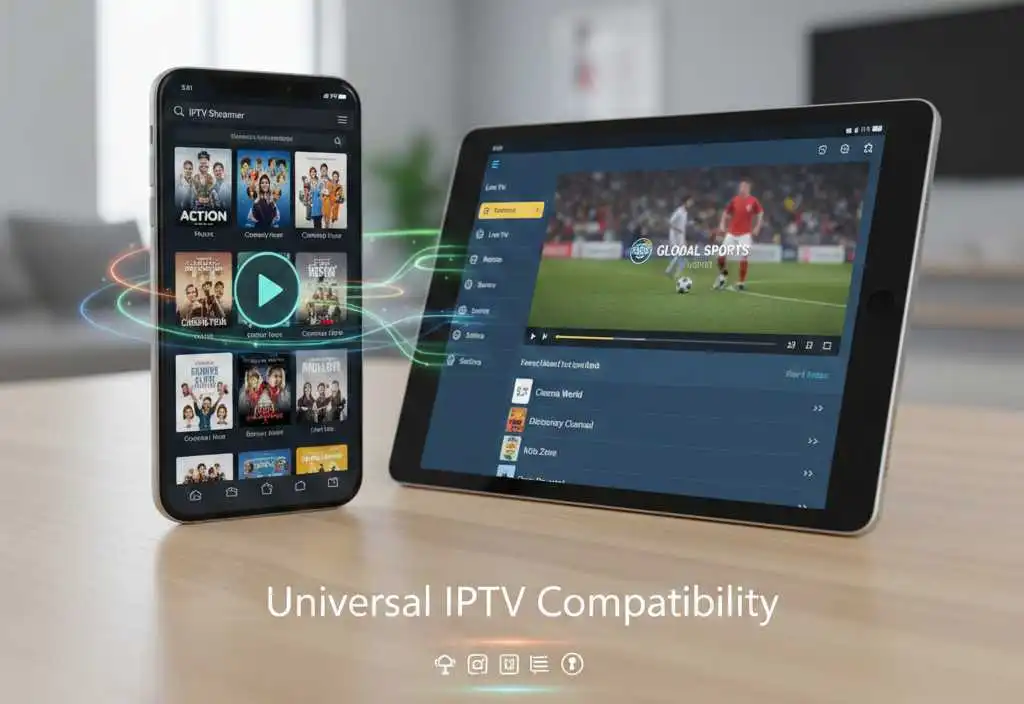

How to install IPTV on smartphone or tablet
Australia-IPTV brings entertainment to your fingertips. With easy installation and secure login, you can install IPTV on your smartphone or tablet — allowing you to stream wherever you are, whenever you want.
Access hundreds of live Australian channels, including major networks, sports like AFL and NRL, news, and on-demand shows in crisp HD. Our reliable, high-speed servers ensure smooth, buffer-free viewing at home or on the go. Simply download a compatible app, enter your credentials, and start watching in minutes. Enjoy premium Australian television seamlessly across all your devices.
Enjoy seamless, on-the-go entertainment with mobile IPTV streaming from Australia-IPTV. Simply download a compatible IPTV app like IPTV Smarters, GSE Smart IPTV, or TiviMate onto your smartphone or tablet, enter your unique subscription credentials, and instantly unlock access to hundreds of live Australian and international channels.
Start streaming in minutes and never miss a moment of the shows, matches, and broadcasts that matter to you.
1. Install IPTV Application
Ensure your device has at least 2GB RAM and a stable internet connection (Wi‑Fi or 4G/5G).
Download a compatible app from the App Store for iOS devices or from Google Play for Android devices.
Install IPTV using popular apps like :
- IPTV Smarters Pro (Android/iOS) – user‑friendly, supports multiple playlists.
TiviMate (Android only) – sleek interface, great for organizing channels.
GSE IPTV Player (Android/iOS) – advanced features, customizable.
XCIPTV Player – lightweight, works well with Xtream Codes API.
👉 Download from Google Play Store or Apple App Store.
2. Enter Your IPTV Subscription Details
Open the app : choose Add Playlist / Add Portal.
Enter the M3U URL or Xtream Codes API (provided in your subscription email)
Save and refresh : channels and VOD will load automatically.
3. Optimize Your Experience
Enable EPG (TV Guide) for program schedules.
Adjust video player settings (hardware decoding often improves performance).
For tablets, switch to landscape mode for widescreen viewing.
4. Troubleshooting Tips
- If channels don’t load:
Double-check your portal URL and login credentials for accuracy, and confirm your subscription is active. - If you experience buffering:
Test your internet speed and, if possible, switch to a wired Ethernet connection or 5GHz Wi-Fi for better stability. - If the app crashes or freezes:
Clear the app’s cache from your device settings or reinstall the application to resolve performance issues.
⚠️ Important Notes
- Download only from Google Play Store or Apple App Store.
- A stable internet connection (Wi‑Fi or 4G/5G) is recommended.
- Always use the official portal URL provided by Australia‑IPTV for safe, uninterrupted streaming.
- Some apps may require additional permissions (e.g., storage or network access).
Australia‑IPTV delivers secure, high‑definition streaming across all your devices—from Smart TVs and mobiles to tablets and streaming boxes. Enjoy simple, guided setup with 24/7 Australian‑based support, ensuring you’re connected quickly. Our encrypted connections protect your privacy. Every subscription is built on reliability, full compliance, and transparent service you can trust. Join thousands of satisfied customers who choose Australia‑IPTV for quality, security, and seamless viewing anywhere.
Want the perfect IPTV plan? Visit our Pricing page to compare all plans side by side and select the one that works best for you.
Discover Australia-IPTV Latest Blog Articles
Watch UFC with the Best Australia IPTV Services 2026
Watch UFC with the Best Australia IPTV Services 2026 The UFC world is full...
Australia IPTV – Best IPTV Box 2026 Lately Released
Australia IPTV – Best IPTV Box 2026 Lately Released The world of IPTV streaming...
Start Your 24H IPTV Free Trial Today No-Credit Card No-Risk
Start Your 24H IPTV Free Trial Today No-Credit Card No-Risk Australia-IPTV January 11, 2026...