How to Install IPTV on PC and Mac Easily

Australia‑IPTV makes it easy for you to enjoy IPTV on PC and Mac with this detailed step-by-step guide

For users who want to stream IPTV on PC and Mac, IPTV Smarters Pro installs easily on both Windows and MacOS. Then, you can set up your subscription quickly, ensuring that IPTV on PC and Mac delivers smooth performance and an intuitive interface for streaming your favorite channels instantly.

IPTV on PC and Mac is easy to enjoy.

1: Download IPTV Smarters Pro

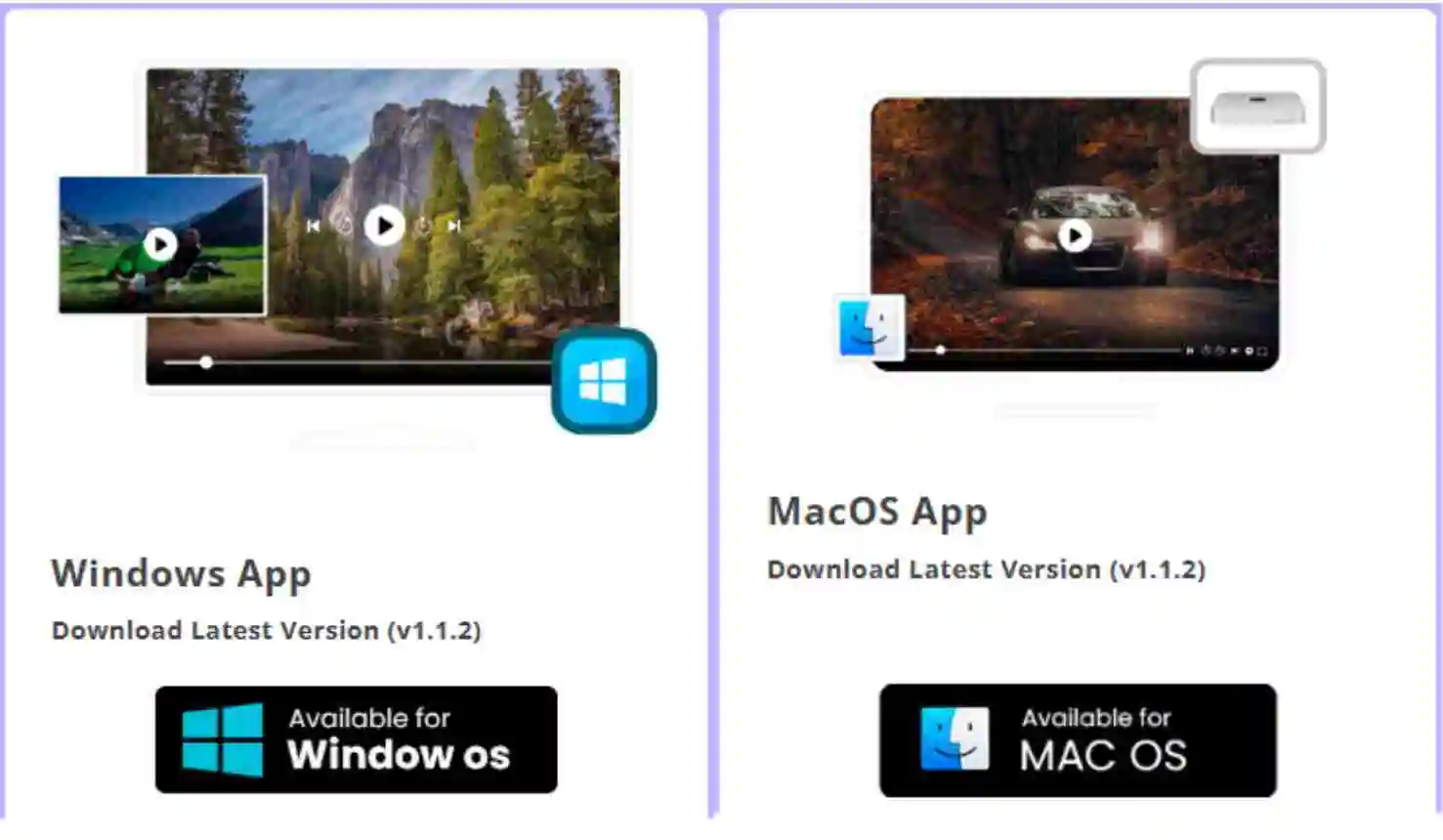
  • Visit the official IPTV Smarters website: https://www.iptvsmarters.com

  • Choose the correct version for your device:

    • Windows (32‑bit or 64‑bit) or MacOS

  • Download the installer file to your computer.

download IPTV on PC and Mac

2: Install the App

  • Locate the downloaded file in your Downloads folder.

  • Double‑click the installer and follow the on‑screen instructions.

  • Once installation is complete, launch IPTV Smarters Pro from your desktop or Applications folder.

3: Log In

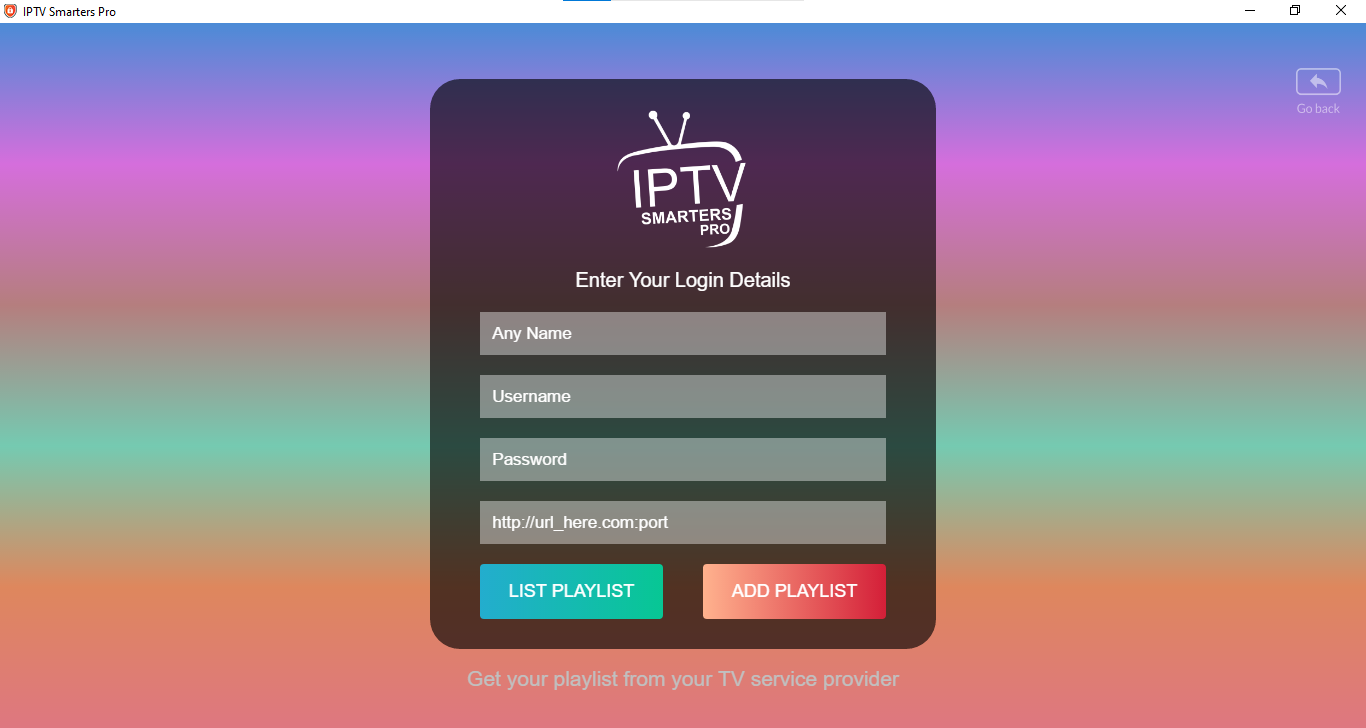
  • Open IPTV Smarters Pro and select:

    • Login with Xtream Codes API

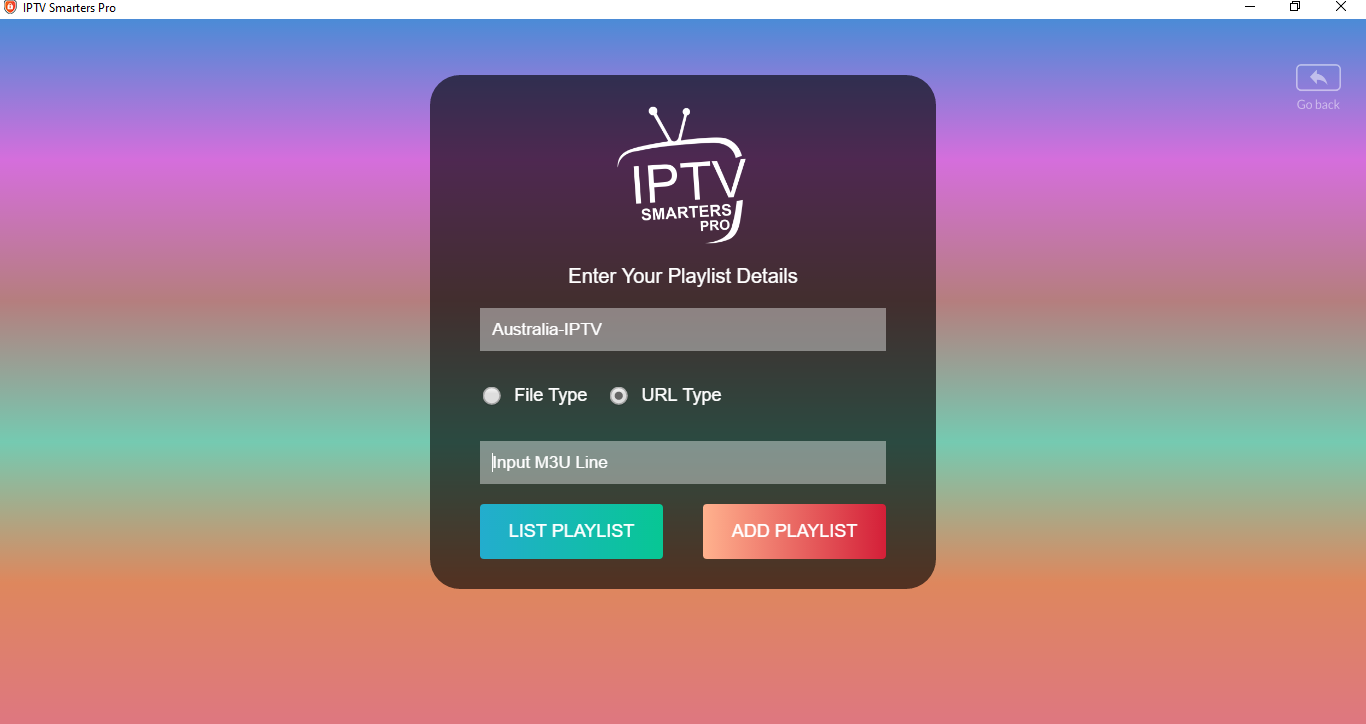
    • Or Load Your Playlist (M3U URL)

  • Enter the subscription details provided by Australia‑IPTV:

    • Username

    • Password

    • Server URL
  • Click Login.

download IPTV on PC and Mac

Or

  • paste your M3U UR

Click Login.

download IPTV on PC and Mac

4: Enjoy IPTV on PC and Mac

  • Once logged in, your Live TV channels, Movies, and Series (VOD) will load automatically.

  • Use the navigation menu to browse categories and enjoy your IPTV on PC and Mac.

⚠️ Important Notes

By downloading IPTV Smarters Pro only from trusted sources and following the steps above, you ensure safe installation and uninterrupted streaming with Australia‑IPTV.

Share this article :

Want the perfect IPTV plan? Visit our Pricing page to compare all plans side by side and select the one that works best for you.

Discover Our Latest Blog Articles