
Australia IPTV is television delivered over an internet connection, and a suitable subscription depends on the channels you want, the devices you use, and the provider’s rights to offer its content. The right fit also depends on how your household watches, from scheduled live programs to on-demand entertainment.
IPTV uses internet streaming rather than a traditional broadcast signal, so your connection and playback setup matter. Packages can differ in content, access rules, and payment conditions. Confirm the current written terms before paying, and do not assume that a headline catalogue count guarantees a specific channel or program.
Key Takeaways
- Check that the service has rights to distribute its content.
- Match the channel and on-demand offer to your household’s viewing habits.
- Confirm device compatibility and the number of permitted simultaneous streams.
- Compare the full term price, renewal conditions, and refund terms.
- Before paying, confirm that the service fits your viewing habits and that its terms are clear.
What IPTV Means for Australian Viewers
IPTV sends live channels and on-demand video to a compatible screen through an internet connection instead of an antenna, cable, or satellite signal. The internet connection carries the stream, while your device and software display it.
IPTV describes the delivery method, not a particular subscription, player app, or permission to distribute content. At the end of 2025, Australia had 26.2 million internet users, and internet penetration was 97.1%. Those figures describe a large connected audience, not access to any particular service.
DataReportal’s Digital 2025: Australia report recorded 26.1 million internet users and 97.1% internet penetration in January 2025. The difference in user totals reflects the reporting periods. An IPTV stream still needs a usable connection and a compatible playback setup in your home.
A working stream confirms that video is reaching your screen, not that the service holds distribution rights for every program.
A simultaneous stream means one separate video playback session running on one device at a time. The number of sessions you can run depends on the provider’s subscription conditions, not simply on how many screens you own.
Treat the player app, the subscription, and the rights to the content as separate parts of the setup. Each has a different role in providing access to entertainment.
Is IPTV Legal in Australia?
IPTV as a delivery technology is lawful, but a service must have the rights to distribute the channels and programs it offers. The key issue is the provider’s permission for the specific content, not whether its app works.
Copyright infringement can arise when premium channels or events are distributed without authorization. The Australian Copyright Act 1968 governs copyright. A paid subscription, website, or IPTV app does not by itself establish that the service has permission to supply its content.
The Arts Law Centre of Australia explains Australian copyright and permission requirements in plain terms. Copyright protects certain works and other subject matter, and using protected material without permission can infringe those rights, subject to legal exceptions.
Section 115A of the Copyright Act 1968 allows Australian courts to order carriage service providers to block access to certain online locations. In practical terms, a court can require internet providers to restrict access to a location linked to copyright infringement.
Before subscribing, look for clear information about the service’s licensing and rights to distribute the content it lists. Specific, consistent details are more useful than broad claims about a large catalogue or worldwide access.
Do not treat a working login or a paid invoice as evidence of broadcasting permission.
How to Match IPTV to Your Viewing Needs
Start with the programs your household actually watches, not the largest channel count in a promotion. Your regular viewing is a better measure of fit than a headline total.
A large catalogue count does not prove that a specific program is available or authorized. Live television and on-demand catalogues are different content types, so assess each against what you plan to watch.
Live television and scheduled viewing
Decide whether you need news, general entertainment, or live sports. Australian free-to-air examples include ABC, SBS, Seven, Nine, and Ten, while AFL and NRL fixtures may matter to sports viewers. These examples are prompts for checking a package, not a claim that any particular service includes them.
Scheduled programs have a fixed broadcast time. Consider whether you need the live broadcast, a program guide, or a way to catch up later. A listed channel name alone may not tell you which region or feed the service provides.
On-demand films and series
For films and series, identify the genres, languages, and titles your household prefers. A broad library can still be a poor match if it lacks the movies you want or does not offer the series you follow.
Check whether catch-up viewing matters to you, and whether you expect to watch a full season or browse for occasional films. A useful content list should help you locate particular titles, not just advertise a large number of entries.
Household viewing patterns
Count who watches, what they tend to choose, and when their viewing overlaps. If one person watches live sport while another streams a series, the permitted number of simultaneous streams may affect your choice.
Write down these four details before comparing offers:
- Content categories your household watches most.
- Preferred channels or sports competitions.
- On-demand genres, languages, and catch-up preferences.
- Household viewing times and any expected overlap.
Use your list to compare the content you can actually find, rather than relying on a catalogue headline. Write down the channels and program types you would check first.
Australia IPTV Plans and Subscription Options
Choose a subscription term by how long you expect to use the service, then check the viewing limits attached to it. Shorter access can suit a brief need, while a longer term commits you for more time.
Compare the full term price, renewal rule, expiry date, and permitted simultaneous streams before choosing. An Australia IPTV subscription should be judged by its term, content rights, renewal conditions, and number of permitted concurrent streams.
Short-term access
A shorter term may suit you if you are checking whether a service fits your household or expect to use it temporarily. It limits the period you commit to, but it does not automatically include a trial or a right to cancel early.
Confirm the full amount due and what happens when the term ends. A subscription may expire or renew under its own terms, so read the renewal condition rather than relying on the term label alone.
Multi-month terms
Commonly advertised terms include 1, 3, 6, and 12 months. Compare the amount due for the full term, renewal rules, and expiry date; a longer term is not automatically the better value for your viewing habits.
| Term | What to compare | Suitable viewing horizon |
|---|---|---|
| 1 month | Full amount due and expiry date | A short evaluation or temporary need |
| 3 months | Total term price and renewal rule | A season or several months of planned viewing |
| 6 months | Payment frequency and cancellation terms | A longer-term household routine |
| 12 months | Full upfront amount and renewal conditions | A year of expected use, if the fit is established |
Review the current Australia IPTV plan details as written terms, not as a substitute for checking the specific amount and conditions offered at checkout.
Multiple viewers and connections
A simultaneous stream is one separate video playback session running on one device at a time. Installing a player app on several devices is different from being allowed to play several streams at once.
Ask how many sessions the subscription permits at the same time and whether that allowance applies across devices in your household. Confirm the permitted number of simultaneous streams in writing before choosing a household plan.
How to Compare IPTV Pricing and Terms
Compare the total amount you will pay over the full term, not just the advertised monthly equivalent. The total term price shows what the commitment costs in Australian dollars.
A low monthly equivalent can still require a larger upfront payment for a longer term. Check the full AUD amount, billing frequency, automatic-renewal rule, any extra connection charges, and refund terms before making a purchase.
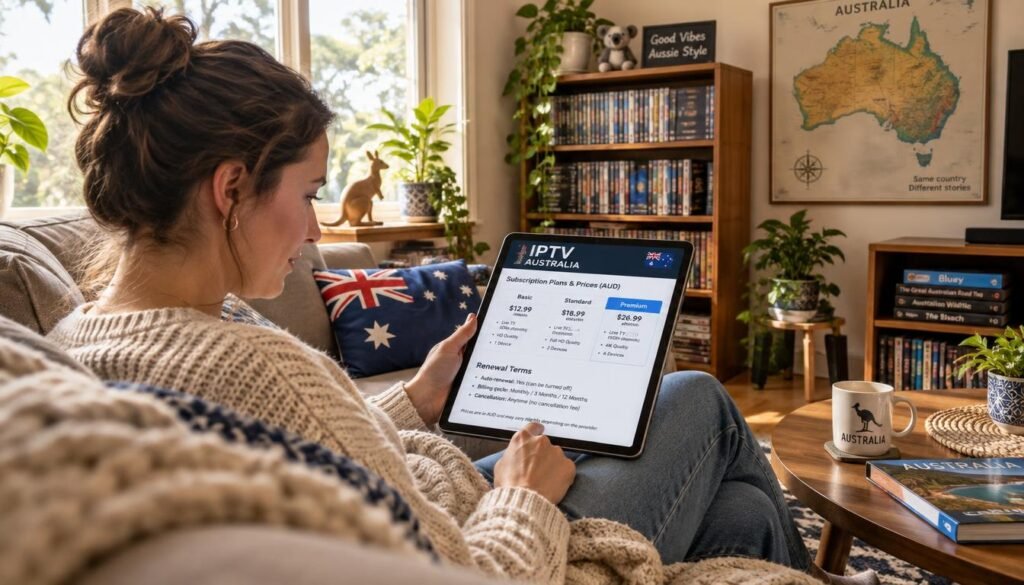
Read the checkout screen carefully. Make sure the amount shown matches the term you selected, and note whether the payment is one-off or recurring. A one-off payment and a recurring monthly charge are different commitments, even when their displayed monthly equivalents look similar.
Do not confuse payment processing security with a refund policy. A secure payment page can help protect a transaction, but it does not set the provider’s cancellation or refund conditions.
Check whether another connection, add-on, or service option could change the final amount. Keep the wording of the renewal and refund terms that applied when you paid, since the checkout amount alone may not explain what happens next.
Save a copy of the checkout total and the renewal and refund terms before paying.
Which Channels and Content Should You Check?
Check the exact channels and programs you watch, because broad labels such as “sports” or “international” do not identify a specific broadcast. Exact names help you compare a package against your viewing list.
Confirm the channel name, region, and package, since a service’s channel list does not prove it has licensing rights. Availability of international channels can depend on distribution rights and the selected package.
| Content group | Examples to verify | What to confirm |
|---|---|---|
| Australian free-to-air | ABC, SBS, Seven, Nine, Ten | Exact channel, regional feed, and package |
| Australian sport | AFL, NRL, cricket, Formula 1 | Competition, broadcast channel, and rights |
| International channels | News, entertainment, language-specific channels | Country, channel name, and package availability |
| Films or series | Specific movies, series, and seasons | Current on-demand library and title availability |
Check the program guide for the exact live channels and the on-demand library for the titles you expect to watch. A category such as “movies” does not establish which films are available, and a sports label does not confirm a particular event.
The service’s current channel and entertainment information can help you identify what it advertises; check the package and rights details for the specific content you want.
Verify one or two must-have programs against the current package details before subscribing.
Which Devices and Apps Can You Use?
Check the exact device model and operating system before choosing an IPTV player. Model-specific support matters because apps available on one television or streaming box may not work on another.
Device compatibility depends on the operating system, the player app, and the provider’s login method. Australian adults used an average of 4.1 devices to access the internet in 2025, but that does not mean every IPTV service supports them all.
ACMA’s 2025 device-use figures also found that 64% of Australian adults used a smart TV to access the internet, 97% used mobile phones, and 73% used laptops. These figures describe device use, not compatibility with any one service.
Smart TVs and television platforms
Check the TV’s model and operating system before installing a player. Samsung and LG televisions can use different systems across models, and app availability may vary. A smart TV’s ability to connect to the internet does not guarantee that it can run the player you need.
Confirm that the player appears in the TV’s supported app store or that the provider documents another compatible setup. Check the player’s current requirements for your specific model.
Streaming boxes and sticks
For a streaming stick or box, confirm support for the exact model and its operating system. Fire TV and Apple TV may offer different app-store choices and installation routes, so do not assume that the same player is available on both.
Check whether the compatible player is available through the device’s app store or whether the provider describes another installation method. Avoid relying on instructions for a different model or software version.
Phones, tablets, and computers
Android devices, phones, and tablets still need a compatible player and a login method supported by the service. Desktop viewing also depends on the player or browser route the provider allows.
| Device type | Examples | Compatibility check |
|---|---|---|
| Smart TVs | Samsung or LG TVs | TV model, operating system, and supported player |
| Streaming sticks or boxes | Fire TV, Apple TV | Exact model, app store, and installation route |
| Phones or tablets | Android devices, tablets | Operating system, available player, and login method |
| Computers | Windows or Mac computers | Supported software or browser and provider login method |
Confirm compatibility on the device you intend to use first, rather than assuming all smart screens run the same apps.
How Does IPTV Activation Work?
Australia IPTV activation begins when the provider supplies credentials that match a compatible player and device. The login method determines which details you enter to load the service.
An IPTV player is software, and its access or paid app license may be separate from the service subscription. Activation does not establish that the provider has distribution rights for its content.
Choose the player and login method
Common player options include IPTV Smarters Pro, TiviMate, and GSE Smart IPTV. An M3U setup uses a playlist link or file. Xtream Codes login commonly uses a server address, username, and password.
Choose a player that supports the provider’s login method on your device. The app may require a separate paid license, while the service account supplies access credentials.
Install the player from a trusted route
On Fire TV, the Fire TV Appstore is one example of an app-store installation route for a compatible app. Follow the current setup information for the exact device rather than installing a file from an unknown site.
The device and IPTV player setup guide can help you understand common player and login approaches. Confirm that any instructions match your device and the credentials supplied for your own service.
Enter credentials and test playback
Enter the supplied login method in the compatible player. Load the playlist or program guide, then test a channel to confirm that the account and player work together.
- Confirm the device and compatible player.
- Install the player using a trusted route.
- Enter the supplied login method in the player.
- Load the guide and test a channel.
If the player asks for an M3U link, use the playlist details provided for that account. For Xtream Codes, enter the supplied server address, username, and password in their matching fields. Do not post passwords publicly when asking for help.
Keep the activation email and login details private so you can recover access without exposing the account.
What Internet Speed Do IPTV Streams Need?
Budget roughly 2-3 Mbps for one SD stream, 5-8 Mbps for one HD stream, and 20 Mbps or more for one 4K stream. These are per-stream estimates, not a recommended speed for every household.
More simultaneous streams increase bandwidth demand, while Wi-Fi quality and other household traffic reduce the bandwidth available to each stream. A speed test result alone cannot guarantee smooth playback.
Approximate IPTV bandwidth needs can help you compare a connection with the resolution you plan to watch. Keep in mind that the estimate applies to one stream, and household use can add demand.
| Resolution | Approximate bandwidth for one IPTV stream | Practical note |
|---|---|---|
| SD | About 2-3 Mbps | Other household use can reduce available bandwidth |
| HD | About 5-8 Mbps | Each additional stream adds demand |
| 4K | 20 Mbps or more | Stable Wi-Fi and household traffic still matter |
In the latest comparable figures reported in Digital 2026 Australia, median Australian mobile download speed was 122.20 Mbps and fixed-broadband speed was 95.29 Mbps. Median fixed-broadband latency was 10 ms, compared with 20 ms for mobile.
Those national medians are context, not a promise about the connection in your room. Check the speed on the device and network you will actually use, especially when other household members are online.
How Much Data Does IPTV Streaming Use?
Data use rises with picture quality: SD uses about 0.7-1 GB an hour, HD about 1.5-3 GB, and 4K or UHD 7-10 GB or more. GB per hour measures data consumption, while Mbps measures connection speed.
Higher resolution and longer viewing both increase the amount of data used. Multiply the hourly estimate for your chosen quality by the viewing hours you expect to watch to estimate a session or month.
Typical video data use per hour ranges from about 0.7-1 GB for SD to 7-10 GB or more for 4K or UHD. HD viewing uses around 1.5-3 GB an hour.
For an illustration, imagine watching two hours of HD video in one session. Multiply two hours by the HD estimate of 1.5-3 GB per hour, giving roughly 3-6 GB for that session.
This example is not a typical viewing pattern or a monthly household estimate. Your own total depends on the resolution you select and the hours you watch. Add the hours you expect across your viewing period, then apply the matching hourly range.
Check your mobile or broadband plan’s data conditions before making high-resolution streaming a regular habit.
How Can You Reduce IPTV Buffering?
Start by checking whether the buffering affects one channel, every channel, or other streaming apps as well. That comparison helps separate a local connection issue from a player or stream fault.
Check the home Wi-Fi, broadband connection, and individual stream or player as separate possible causes. A speed figure cannot show whether the signal is weak in the room or whether one channel is failing.
Work through these checks in order:
- Check the Wi-Fi signal and move the router to a more open position.
- Pause other heavy network use and test the connection again.
- Restart or update the player and the viewing device.
- Compare another channel and an unrelated streaming app.
A stationary television with weak Wi-Fi may work better over wired Ethernet, which avoids relying on a weak wireless signal in that room. If the fault appears across several apps, the home network or broadband connection may need attention.
If one channel buffers while other channels and unrelated apps play normally, the fault may be specific to that stream or player. Record the device, player, channel, and approximate time of the problem before contacting support.
Do not send passwords when reporting the fault. If only one stream fails while other apps play normally, report the channel and time to the provider rather than immediately upgrading your broadband plan.
How to Check Sports and Live Event Access
For a live event, verify the specific match and broadcast channel, not just the sport category. The exact event matters because a sport name alone does not establish access to a particular fixture.
Confirm the competition, event, broadcast channel, and package before paying. Viewers may want to check AFL, NRL, cricket, Formula 1, Premier League, UFC, or boxing, but availability depends on distribution rights and the selected package.
Look for the specific match or event in the provider’s channel information and program guide. A package described as carrying sports may include some broadcasts but not the competition or event you follow.
Check the listed date and start time against the event’s official schedule. Fixtures may be shown in a different Australian time zone, and an international listing may use the event’s local date instead of yours.
Also confirm which channel or feed carries the event. A competition may have different broadcast arrangements across matches, rounds, or special events. A general channel category does not tell you which feed will show your chosen fixture.
Recheck the local date and start time against the event’s official schedule before settling in to watch.
What Should You Check Before Starting a Free Trial?
Use a free trial to test the actual channels, device, and connection you plan to rely on. The practical test is whether your usual viewing setup works, not whether you can open an app.
A 24-hour trial is one advertised format, but some services do not offer a free trial. Trial length, content access, device limits, and payment requirements depend on the provider’s terms.
Before requesting access, check these four details:
- Trial duration and exact expiry time.
- Channels and on-demand content available during the test.
- Supported devices and permitted simultaneous streams.
- Whether payment details or automatic renewal are required.
A trial may not provide the same content or viewing limits as a paid subscription. Read the conditions that apply during the test, and note whether an account or payment method is required to start it.
Test your usual screen and connection during your normal viewing time. That gives you a more useful indication of playback in the conditions you expect to use regularly.
Note the trial’s expiry and payment conditions before starting so access does not end or renew unexpectedly.
How to Protect Your Account and Payment
Treat activation credentials and payment details as private account information, not routine setup information to share in a message. Keeping them private reduces the chance that someone else can access the account.
Use a unique password where the provider allows it, keep activation emails private, and check that the payment page is secure. Use only payment methods listed in the provider’s current terms.
Xtream Codes login details can include a server address, username, and password. Keep the activation email in a private account and avoid copying credentials into public posts or shared documents.
A VPN is optional for IPTV access. It cannot guarantee access, privacy, or improved playback, and it may change connection speed or connectivity. If a service or network has a restriction, a VPN does not establish that the content is authorized.
Check the address and security indicators on the payment page before entering card details. Do not send a full password or payment-card details to customer support, even if a message appears to come from the provider.
If support needs to investigate a login problem, provide the error and device details without disclosing your password.
How to Choose the Best Australia IPTV Service
The best Australia IPTV choice is the one that combines authorized content, compatibility with your setup, and clear terms for your household. Your own priorities determine which service is the right fit.
Choose using rights information, device compatibility, and written subscription conditions, not a promotional superlative. A typical household needs a service that works on its chosen device and connection and explains its terms clearly.
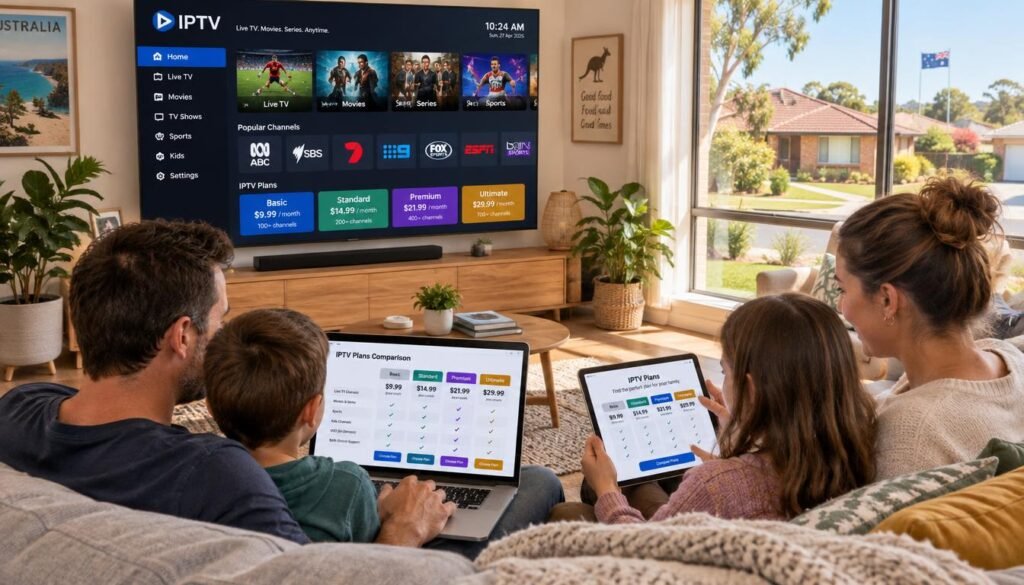
Verify content rights and channel information
Look for a clear explanation of content rights and a usable channel or program list. The details should help you identify the channels and programs offered, rather than relying only on broad claims about volume.
Use a current list to check the content your household expects to watch. A service with a broad offer may still be unsuitable if the rights, package information, or program details are unclear.
Read the full terms before paying
Check the full AUD amount, renewal rule, connection limit, expiry, refund terms, and privacy information. Confirm how long access lasts and what happens at the end of the subscription.
The Australian Consumer Law may apply to consumer transactions. Read the written terms alongside your consumer rights, and keep a copy of the conditions shown when you subscribe.
Test reliability and support
Check whether setup instructions match your device and player. Find out how to contact support and whether its help covers activation and playback faults, not just account or payment questions.
Use this final comparison checklist:
- Content rights are explained clearly.
- Must-have channels and programs are identifiable.
- Your intended device and player are compatible.
- Total cost and renewal conditions are clear.
- Support and refund terms are accessible.
Viewers with different needs should also weigh their preferred channel list, simultaneous-stream allowance, and support requirements. Choose only after you can verify the content rights, complete amount due, and support route.
Conclusion
A sound IPTV subscription decision starts with authorized content, a compatible setup, and terms you can understand. Those checks matter more than a headline channel count because they affect what you can watch and what you agree to pay.
Your next step is practical: review the provider’s current written terms and confirm the intended content and device before paying. Check those details against your viewing needs before you subscribe.