
IPTV in Australia delivers live television and on-demand entertainment over the internet, making it an option for viewers who want to watch on compatible screens without relying only on an antenna or cable connection. IPTV Australia may suit you if you prefer streaming and want live channels alongside movies, series, or other entertainment. A concurrent stream is one separate playback session active at the same time. Channel access, concurrent streams, and the amount due depend on each service’s terms.
Before paying, confirm that the service supports your device and the content you actually want to watch.
Key Takeaways
- IPTV delivers television over an internet connection.
- Compare the channel lineup and video on demand separately.
- Count how many programmes your household watches at once.
- Check the full checkout amount and renewal terms.
- Confirm device compatibility and content rights before subscribing.
IPTV Australia Plans: What to Compare
A useful plan comparison starts by matching the service’s viewing offer and terms to your household, not by choosing the largest advertised channel count. The best IPTV in Australia for your household is the service that fits your viewing needs, works on your setup, and explains its content rights and subscription terms clearly.
IPTV delivers television over the internet rather than through an antenna, satellite, or cable connection. To get started, you need internet access, a compatible device, and, when required, an IPTV player and account details. Listings for IPTV in Australia in 2022 do not prove that content, compatibility, or subscription conditions remain the same today.
Compare the full subscription term and renewal conditions, not just a monthly equivalent. A lower monthly equivalent can come with a longer commitment, while a shorter term may have different renewal rules. Check the service’s current terms alongside the advertised offer. You can review the [current IPTV service details](https://australia-iptv.com.au/) before deciding whether its stated offer suits you.
Choose a subscription for its clear terms and relevant viewing offer, not for the biggest advertised channel number.
Use a short checklist to compare the parts of a plan that affect how you watch and what you pay:
- Plan duration and the date the subscription begins.
- Number of permitted concurrent streams.
- Channels and video on demand (VOD) access.
- Whether renewal is automatic and how cancellation works.
- Support terms and the stated contact route.
Getting started also means checking whether you need to install a separate IPTV player. Some services provide access details for a compatible player rather than a viewing app. Read the setup steps before you pay, especially if your television uses an older operating system or limited app store.
Compare the complete term and renewal conditions, not just a monthly equivalent.
Channels, Movies, and Series: Check Content Fit
A large channel or library count is useful only if it includes programmes you can and want to watch. Check the actual lineup and catalogue before you decide, because advertised totals alone do not show whether the content fits your routine.
Live channels and scheduled programmes
Live channels carry scheduled programming, so start with the exact categories you watch. Look for local news, entertainment, and preferred international channels by name. A headline count can include channels that do not match your language, interests, or usual viewing time.
Check whether the listing identifies channel names and any regional versions. A familiar channel label does not necessarily tell you which programmes it carries or when they appear. Compare the current lineup with the specific local or international programming that matters to you.
Movies and series on demand
Video on demand is separate from live channels: it lets you select a movie or series to play instead of watching scheduled programming. A broad library may include many titles you do not plan to watch, so look for the movies and series you actually want.
VOD catalogues can change with regional availability and content rights. A title shown in one location may not be available in another, and a listing can change over time. Check whether the service provides current catalogue information and how it identifies available titles.
Use this checklist to check the content fit before choosing a subscription:
- Preferred channels, including the exact channel names.
- Specific programmes you expect to watch.
- Language options for live and on-demand content.
- VOD titles, including particular movies or series.
- Information about when the library is updated.
A short list of must-watch titles is more useful than a broad promise of entertainment. Check the current channel list for the exact programme or category that matters most to you.
Choose the Right Number of Connections
Count how many people may be watching different programmes at the same time, rather than counting every device in the home. One concurrent stream means one active playback session; the number of screens you own does not by itself show how many streams you need.
A single active stream may suit one viewer who watches on one screen at a time. Switching from a television to a phone does not necessarily add a simultaneous stream. Check whether a subscription lets you move between devices or limits the account to one active playback session.
One viewer or one active screen
If you usually watch alone, count the number of programmes you expect to play simultaneously. A person watching one programme at a time may need only one concurrent stream, even when they use more than one device during the week.
Multiple people watching at once
Viewers in separate rooms may need separate concurrent streams when each person watches a different programme. Two people watching separately could need two active sessions. Three or more people watching different content may need more, depending on the subscription’s limits.
The scenarios below are examples for estimating household needs, not promises that any particular plan offers those allowances.
| Household viewing scenario | Example concurrent streams | Subscription term to confirm |
|---|---|---|
| One viewer watching one screen | 1 | One active session permitted |
| Two people watching separately | 2 | Two sessions permitted at once |
| Three or more people watching separately | 3 or more | Maximum sessions and any extra-connection conditions |
A connection allowance may describe how many playback sessions can run, not how many devices can be registered. Read the definition used in the subscription terms, including whether different households or locations are treated separately.
Confirm the permitted concurrent streams and any extra-connection conditions before checkout.
Work Out the Full Subscription Cost
The amount you pay is the total shown for your chosen term and options at checkout. The price depends on the selected term and included options, so compare the full amount due rather than a monthly figure by itself.
Check whether the order total covers the whole subscription period or only an initial payment. The amount due now and any later renewal amount are separate details. If a plan renews automatically, note the renewal date, amount, and cancellation method before entering payment details.
Review the order summary for optional app or connection charges. A separate IPTV player may be free or paid, and any extra stream or service option may affect the total. Do not assume an advertised plan price includes every option you may select.
Australian consumers can check the ACCC’s advice on subscription fees and recurring conditions. The ACCC warns that ongoing fees and conditions should be clearly disclosed during checkout. Look for preselected options, automatic renewal details, and any limits on cancellation.
Keep a copy of the final order summary and payment confirmation. Those records can help you check what term and options you selected if a later charge differs from your expectations.
Check the final payable amount and renewal terms on the live order page before entering payment details.
Pick a Streaming Device for Your TV
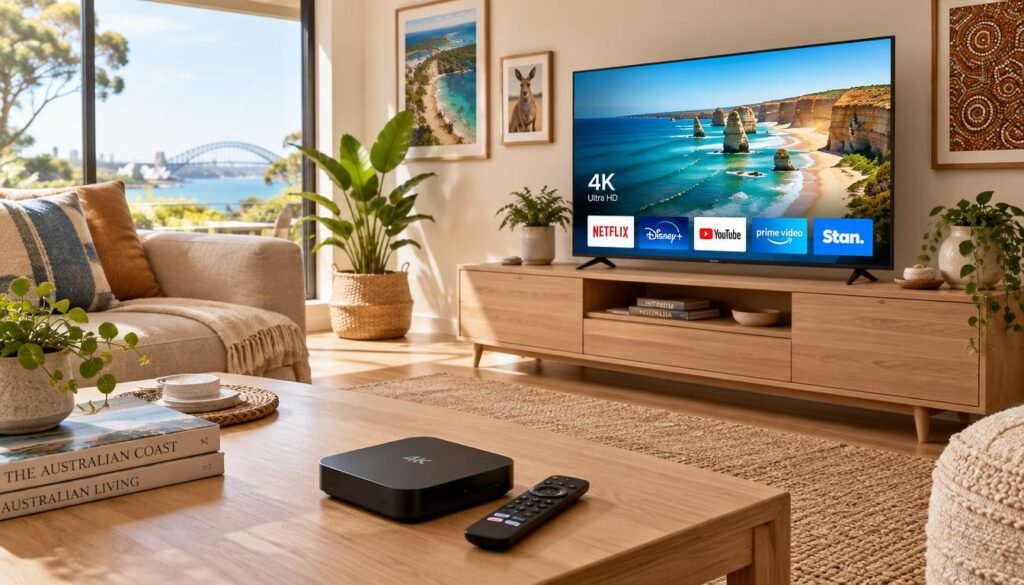
Among the listed devices, the Google Chromecast with Google TV 4K has the highest expert rating, 75, at a listed price of $99. It is the default pick for a buyer seeking a compact 4K streaming device, though player compatibility still matters.
The best TV streaming box in Australia depends on whether your current screen supports the IPTV player you intend to use. The listed prices and ratings can help compare hardware, but a streaming device does not itself provide a subscription or content rights.
The highest-rated choice among the listed devices
The Google Chromecast with Google TV 4K combines a $99 listed price with an expert rating of 75. The CHOICE comparison was last updated March 19, 2026. Its score makes it the strongest-rated listed option here, but it does not establish that every IPTV player works on it.
Check the player’s supported operating systems and the device’s available apps before ordering. Also consider whether your television has an available HDMI port and whether you want a separate streaming box or a built-in Smart TV app. A higher rating cannot replace a compatibility check.
Alternatives for different hardware preferences
Other models may suit different hardware preferences, including Apple TV, Fire TV, and Fetch TV options. The table distinguishes models with published ratings from models described by their listed features.
| Device | Listed price or published feature | Relevant rating or specification |
|---|---|---|
| Google Chromecast with Google TV 4K | $99 | Expert rating 75 |
| NVIDIA Shield TV 4K HDR Android TV Pro | $400 | Expert rating 72 |
| NVIDIA Shield TV 4K HDR Android TV | $290 | Expert rating 71 |
| Apple TV 4K (3rd gen) Wi-Fi+Ethernet | $249 | Expert rating 68 |
| Amazon Fire TV Cube | $219 | Expert rating 65 |
| Fetch TV 4K Mini | $199 | Expert rating 62 |
| Amazon Fire TV Stick 4K Max, discontinued | $99 listed price | Expert rating 70; discontinued model |
| Amazon Fire TV Stick 4K Plus | $50 | 4K, HDR10, HDR10+, Dolby Vision, Wi-Fi 6 |
| Apple TV 4K (2026) | $300 | Wi-Fi 7, Ethernet, Bluetooth 6.0 |
| Amazon Fire TV Stick HD (2026) | 1080p streaming | Wi-Fi 6 |
| Amazon Fire TV Cube (3rd Gen) | HDMI pass-through | Wi-Fi 6E |
The discontinued Fire TV Stick 4K Max is included for comparison, not as a current purchase recommendation. The listed specifications describe hardware features, not picture quality from every stream or the service’s available content.
Check that the exact device model and operating system support the IPTV player you intend to use.
Set Up a Player on Fire TV, Smart TVs, and Phones
Setup usually begins by identifying the device’s operating system and the login method your player accepts. Common IPTV player login methods include an M3U playlist link or file and Xtream Codes credentials; the provider supplies the details.
An M3U playlist is a link or file that points a compatible player to streams. Xtream Codes login uses a server URL, username, and password. Use the method supported by the IPTV player rather than entering details into an unrelated app.
Fire TV setup
Fire TV setup uses the television’s HDMI connection, Wi-Fi, a compatible IPTV player, and the provider’s supplied login details. Follow these steps in order:
- Connect the Fire TV Stick to the television and join your Wi-Fi network.
- Find a compatible player through the Amazon Appstore.
- Install the player, then open it on the Fire TV screen.
- Enter the supplied M3U or Xtream Codes details using the player’s supported method.
- Test a channel to check that the player loads and plays content.
If a login fails, the details may be incorrect, the account may have expired, or the server may be temporarily unavailable. Recheck the selected login method and the spelling of each supplied field before trying again.
Other supported screens
For Smart TVs, phones, tablets, or computers, follow instructions for the exact model and operating system. App availability and menus differ across devices, so steps written for one screen may not match another.
Some devices need a separate IPTV player, while others may support an app directly. Check whether the player accepts an M3U file, a playlist link, or Xtream Codes credentials before starting activation. Keep the activation email available while completing the first login.
Use the manufacturer’s settings to identify the device model and operating system if the app store or installation steps look different. Keep the activation email available while completing the first login.
Reduce Buffering With a Better Network Setup
Around 10 Mbps per device is a practical HD starting point, while 4K streaming generally calls for 25 Mbps or more. These figures are starting points, not guarantees; actual needs depend on stream quality, network congestion, Wi-Fi strength, and concurrent use.
A connection that meets a speed estimate can still buffer if the signal is weak or other devices use the network at the same time. Limited device resources, an outdated app, or a problem with a stream or server can also interrupt playback.
Match internet speed to picture quality
Use the estimate for each device playing video, not only the speed shown on your internet plan. Several active streams may share the same connection. Wi-Fi performance can also change between the router and a television in another room.
For example, a speed test beside the router may not reflect the signal where you watch. Check the viewing device itself when possible. A result below the practical starting point may explain buffering, but a stronger result does not rule out app or stream faults.
Separate home-network faults from stream faults
Use this four-step checklist to narrow down the cause:
- Test internet speed on the device you use for viewing.
- Use Ethernet where practical to reduce reliance on Wi-Fi.
- Pause heavy downloads or other high-use activities.
- Restart the IPTV player and router.
Check whether other online services play normally on the same device. If they work while one IPTV stream still buffers, the app, stream, or provider may be the source of the problem. If several services fail, investigate the home network first.
Note whether the problem affects one stream or every online service before contacting support.
Verify Sports and Live-Event Access
A sports category in a channel list does not by itself confirm that the match or event you want is included. Check the exact competition and event, because channel access depends on distribution rights and the subscription’s terms.
AFL, NRL, cricket, football, tennis, UFC, and boxing are examples of sports to verify individually. A channel name or sport label does not confirm that a particular match, pay-per-view event, replay, or competition is available.
Check the exact competition and event
Use the event details you care about when checking a listing. A competition may have several matches, and event access can differ from general sports programming. Confirm whether the service identifies the live channel, the scheduled event, and any replay access.
| Viewing need | What to verify | When to test |
|---|---|---|
| A scheduled AFL or NRL match | Match listing, live channel, and kickoff time | Before the scheduled match |
| Cricket or football competition coverage | Named competition, fixtures, and live coverage | Before the competition begins |
| A UFC or boxing PPV event | Named event and whether PPV access is included | Before the event date |
Do not rely on a broad claim such as “sports included” when you need one specific fixture. A service can list sports channels without including every event or replay you expect.
Test playback at your usual viewing time
Check the intended screen and your usual viewing period, especially before relying on live coverage. A stream that works earlier in the day may not answer whether the event plays on the screen you plan to use.
Confirm whether the event is live, delayed, or available as a replay. If you expect to watch with others, also consider whether the subscription’s concurrent-stream allowance fits that viewing plan. Verify the exact competition, event, and live channel before relying on a subscription for a major match.
Check Content Rights Before You Subscribe
IPTV technology is a way to deliver television over the internet; the service’s right to distribute each programme is a separate question. Delivery method alone does not establish authorization, so review how the provider explains its content licensing and distribution arrangements.
In Australia, the Copyright Act 1968 (Cth) is the country’s copyright law. A website, payment method, or large channel count does not prove that a provider is authorized to distribute the content it offers.
Look for clear business details and written terms that explain what the subscription provides. A vague description of access does not answer who distributes the programmes or what rights cover them. Consider these points before paying:
- Identifiable business information.
- A clear explanation of content rights.
- Written subscription terms.
- A way to contact the provider.
Read the terms alongside the offer, including any limits on the content or regions covered. A polished website or easy payment process is not a substitute for a clear account of distribution authority.
If a dispute concerns a specific service or programme, seek advice from a qualified legal professional. General information cannot decide the facts of an individual case or replace legal advice tailored to it.
Do not subscribe if the provider cannot clearly explain its authority to distribute the content it offers.
Test a Trial and Read Refund Terms
A trial is most useful when you test the channels and device you expect to use after paying. Trial eligibility, duration, restrictions, and refund conditions are service-specific, so do not assume a particular offer applies to every order.
A free trial and a money-back guarantee are different terms. A trial provides access for a stated period, while a guarantee describes a possible refund under stated conditions. Neither term should be assumed without current written conditions.
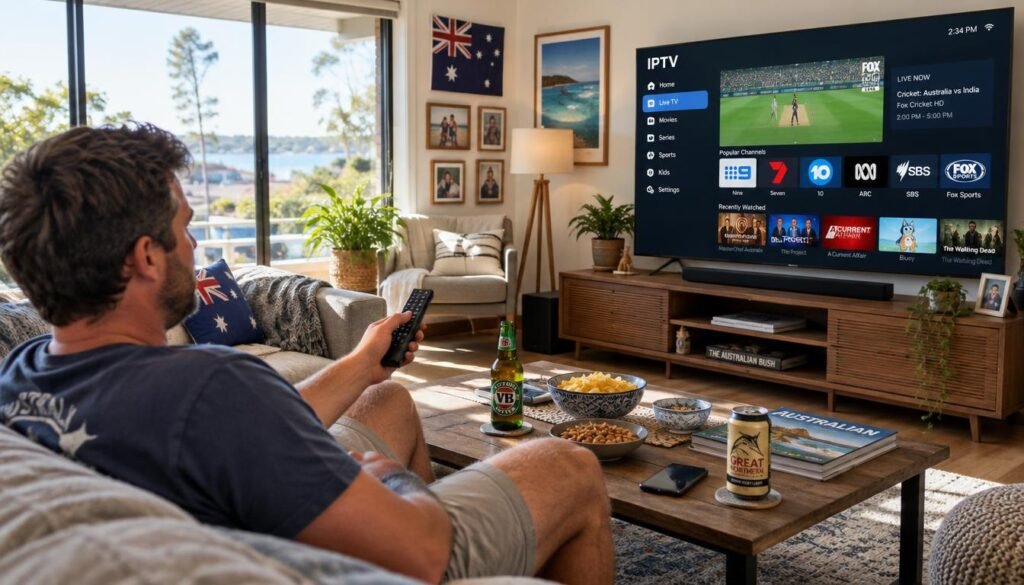
Use a trial to check your own setup
When a trial is available, use it to test practical details before committing to a longer subscription. Work through this checklist:
- Test the normal viewing device.
- Check the channels you plan to watch.
- Try a usual viewing period.
- Note any stream or login problems.
Testing only a device menu does not show whether the channels you need play at the time you usually watch. Record which screen and channel you checked, along with any playback issue you notice.
Confirm refund and renewal conditions
Before payment, verify the trial length, eligible devices, payment requirements, refund deadline, and automatic renewal in writing. Check whether a trial requires payment details and whether the subscription starts automatically when trial access ends.
Read the cancellation steps and note the date by which action is required. Trial access and refund rights can have different deadlines, even when both appear in the same offer. Keep the terms with your order confirmation.
Save the written refund and renewal conditions before completing an order.
Judge Reliability, Support, and Customer Ratings
A customer rating is meaningful only when its survey measures the kind of service and the factors you care about. The highest rated IPTV is a provider with a strong, comparable IPTV assessment that fits your needs, not simply the brand with the loudest promotion.
Canstar’s 2026 customer-satisfaction ratings use scores from zero to 10 for value for money, content choice, ease of sign-up, availability of new releases, and ease of use. Brands needed at least 30 survey responses to be included in those ratings. These criteria provide context, but they do not replace your own checks.
Read ratings for what they measure
A rating helps when it assesses IPTV providers and covers factors relevant to your viewing. The Canstar Blue methodology explains how its customer satisfaction research uses survey responses and rating scales. A broad streaming score may not assess the IPTV features you need.
Check which brands and service types the rating compares, and whether its criteria include the areas that affect your decision. A testimonial can describe one person’s experience, but it is not equivalent to a comparable customer survey across providers.
Promotional claims can also use terms such as “best IPTV” without explaining the comparison. Look for a stated method, the services assessed, and the meaning of each score before treating a ranking as a decision rule.
Check how support handles a real problem
Find the support contact route and the hours stated in the current terms. If you have a setup or playback question, note whether the answer is clear and relevant to the issue, rather than only repeating a general sales claim.
Keep the contact details and response information somewhere accessible. If you expect to watch a live event, knowing how to reach support matters before playback fails. Keep a record of the support route and response details before relying on it during a live event.
Protect Your Login and Payment Details
Treat IPTV login details like other streaming-account credentials and keep them out of public messages. Use a unique password for the account, and enable two-factor authentication if the service supports it.
Account passwords, payment details, and viewing credentials are separate sensitive information. Do not send credentials in public messages or screenshots, where someone else could copy them. Avoid reusing a password from your email or another service.
Keep account credentials private
Two-factor authentication adds a second account check when available. Keep control of the email account used for activation, since it may receive account notices or login links. If you share a screen while asking for help, hide account names and passwords first.
Use the provider’s verified support route if you need help with account access. A public post or unsolicited message is not a safe place to share a password or activation code, even when the sender claims to offer technical help.
Review payment and privacy terms
Use a secure payment flow and check what personal information the provider collects. Read the privacy terms to understand how account and payment information may be handled, and retain the payment confirmation for your records.
A particular payment method or a VPN does not guarantee security. Check the payment page before submitting details, and do not proceed if the amount or recipient differs from the order you reviewed.
Contact the provider through its verified support route if you suspect that your account details have been exposed.
Free Ways to Watch Live TV in Australia
Free-to-air television and official broadcaster apps can provide free viewing, though their programmes and access conditions differ. Free IPTV in Australia is not the only route to watch without a paid subscription; free-to-air access may suit viewers who need selected live or catch-up programming.
Free-to-air television can be received through a compatible television and antenna. Official broadcaster apps may offer selected live or catch-up programmes, with availability and access conditions varying by service.
The ACMA defines free-to-air television as broadcasts available without charge. Its consumer survey glossary also distinguishes broadcast television from online catch-up and streaming services.
Consider these options when you want to watch without a standard paid subscription:
- Antenna reception for available free-to-air broadcasts.
- Official broadcaster apps for selected live or catch-up programmes.
- Free ad-supported programmes where available.
- A paid trial only when its terms are clear.
A genuinely free option does not require the same payment commitment as a trial that may ask for payment details or end automatically. Check the access conditions before signing up, including whether the service starts a paid subscription after trial access.
Not every channel or programme is free through these routes, and an app catalogue can differ from broadcast schedules. Check whether the programme is available through an official free-to-air or broadcaster route before paying for a larger package.
Compare IPTV With Other TV Options
The right television option depends on whether you mainly want scheduled channels, a particular live event, or on-demand titles. The best streaming service to have in Australia is the one that fits that priority; no package guarantees every service.
A single IPTV subscription does not necessarily include every separate streaming app or its full catalogue. Confirm each named entitlement in the plan terms rather than assuming an app or library is bundled.
Live television and internet-delivered services
Free-to-air television uses broadcasts received through a compatible television and antenna. IPTV is a subscription service delivered over the internet, often with live channels. Cable or satellite television reaches the screen through a separate provider network and receiving setup.
These options differ in delivery method and the kind of programming they offer. Scheduled broadcast viewing follows a channel’s timetable, while an IPTV subscription can combine internet-delivered live channels with other access. The exact offer depends on its terms.
| Viewing option | How content reaches the screen | Typical content format |
|---|---|---|
| Free-to-air television | Broadcast received through an antenna | Scheduled channels |
| Cable or satellite television | Provider network or satellite signal | Scheduled channels |
| IPTV subscription | Internet connection | Live channels and, when included, VOD |
| Standalone on-demand app | Internet connection | Selected movies, series, or other titles |
On-demand apps and bundled subscriptions
Standalone on-demand apps focus on selected titles rather than a traditional schedule of live channels. An IPTV channel package does not automatically include separate app subscriptions or their full catalogues. Check each named app and entitlement in writing.
For the best streaming service to have in Australia, match your choice to the content you actually prioritize: live channels, a specific event, or on-demand titles. If you need more than one format, confirm what each subscription provides before choosing a bundle.
Do not treat one subscription as proof that every separate app, channel, or catalogue is included.
Confirm each app or channel entitlement separately instead of assuming one subscription includes every service.
Conclusion
Choose a service only when its content, device support, and written terms fit the way your household watches. A subscription is a practical match only when the channels, screen compatibility, and permitted concurrent streams suit your needs.
Review the current plan details, confirm the exact channel lineup and concurrent-stream allowance, and proceed only when the total and renewal conditions are clear.
Check the current plan details and total at checkout before placing an order.